Manage context in chat
With Lampi AI, you have the option to define the context to work with in a chat. For instance, you can choose to trigger responses from just one particularly relevant document, ensuring the responses are as targeted and relevant as possible.
How to manage your context
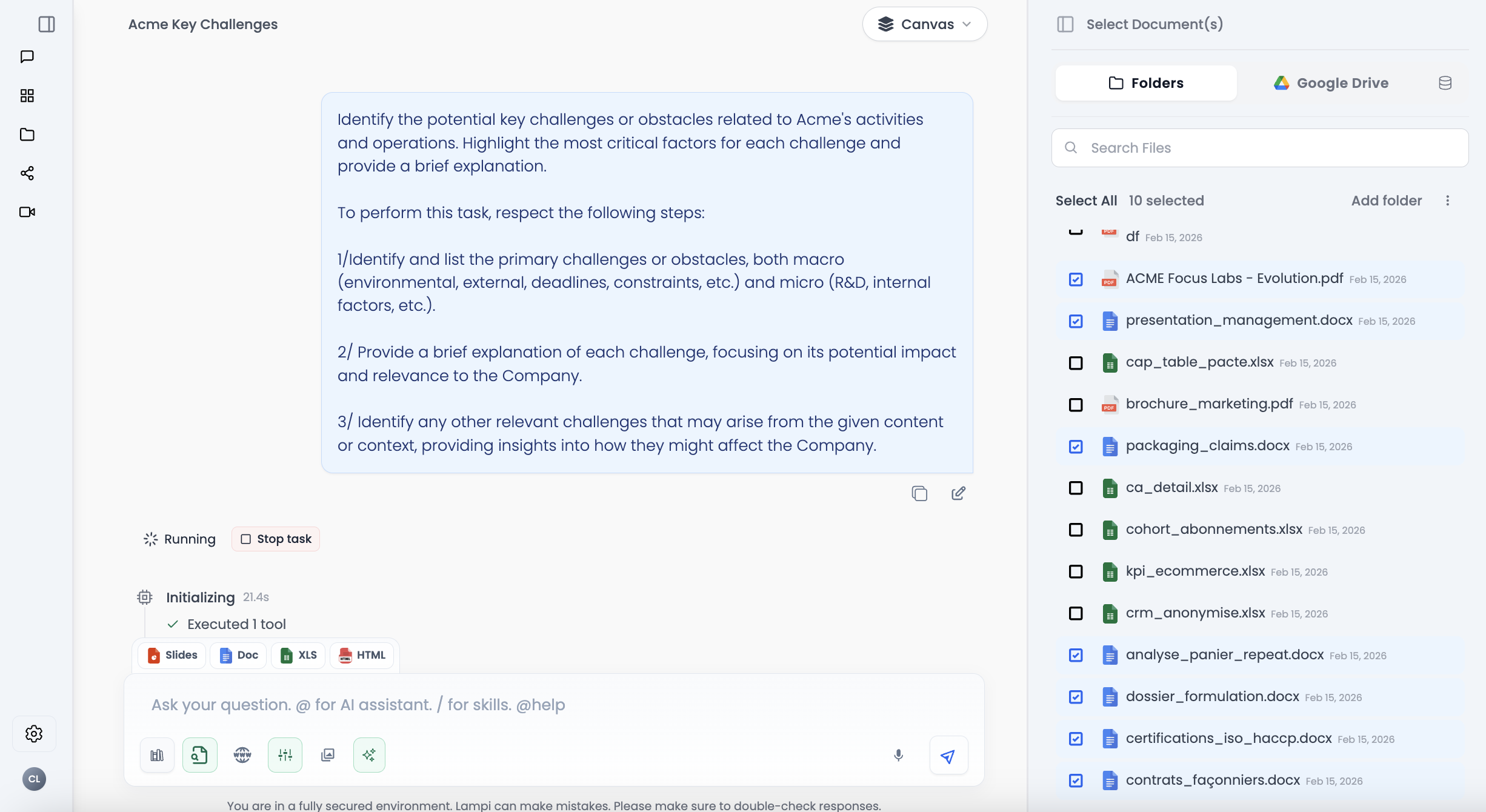
To manage your context, simply open the context tab by clicking on the button at the top right of your screen to display the context modal. This space is designed for management of your context.
What you can manage
You can manage your:
- Files — You can see all the files that have been added to this specific space.
- Integrations — You can select context from each authorized application.
- Notes — You can choose the notes to use. Notes are your personal notes or AI outputs you decided to save.
The files that you select are the ones Lampi will utilize for your queries. You have the freedom to choose which documents Lampi should consider. This could be a single document or multiple documents, depending on your needs.
Once you have selected the files, Lampi retrieves insights only from the selected data sources.
Best Practices
The broader the context, the higher the chance Lampi might use semantically related but inconsistent information. Always choose the most coherent and relevant files.
Well-crafted prompts can also drastically improve the output, so invest time in learning how to prompt effectively.
Improve your results
If you want to maximize your results, check the following articles:
Next: Use prompt templates →