Skills
Skills help Lampi reuse the same way of working across AI Chat Agents and AI Grid Agents. They are useful when you want reliable results without rewriting the same long instructions every time.
What Are Skills?
A skill is a reusable capability that tells Lampi how to handle a specific type of work.
You can think of a skill as a saved specialist. Instead of explaining the same process again and again, you create a skill once and then select it whenever you need that process.
Skills can include:
- Instructions - what Lampi should do and how it should do it
- Examples - sample inputs, expected outputs, or preferred formats
- Tools - capabilities the skill may use, such as web search, document analysis, or file generation
- Supporting files - reference notes, templates, scripts, or other files used by the skill
Lampi includes built-in skills, and you can also create your own custom skills. Your custom skills appear under My Skills and are private to you.
When Should You Create a Skill?
Create a skill when you repeat the same task often or when the instructions are too important to rewrite manually each time.
Good examples include:
- A standard company research process
- A recurring investment memo structure
- A contract review checklist
- A customer-support answer style
- A reporting format your team uses every week
- A workflow that needs the same tools and output format each time
If your prompt is becoming long because it explains the same method, format, rules, or examples every time, it is a good candidate for a skill.
Skills vs. Tools
Tools are individual actions Lampi can use, such as searching the web, reading documents, or generating charts.
Skills are broader. A skill can tell Lampi when to use tools, how to use them, and what kind of answer or file to produce.
For example:
- Use a tool when you need one capability, such as web search.
- Use a skill when you need a repeatable workflow, such as "research this company, check sources, and return a one-page investment summary."
How Lampi Uses Skills
When you select a skill, Lampi can rely on it for the current conversation, Chat Agent, or AI Grid Agent column.
The skill does not replace your prompt. It gives Lampi extra guidance for the type of work you want done. Lampi still reads your request and decides how to apply the selected skill.
Skills are most effective when their name and description clearly explain what they are for. This helps Lampi know when the skill is relevant.
Create a Skill from Chat
The fastest way to create a skill is to use the skill-creator skill from chat.
Use this path when you know what you want the skill to do, but you want Lampi to draft the skill instructions for you.
Steps
- Open a chat.
- Select the skill-creator skill.
- Tell Lampi what the new skill should help with.
- Include any important rules, examples, tools, or output format you want.
- Lampi creates a private draft skill.
- Review the draft in the skill editor.
- Edit anything that should be clearer or more precise.
- Publish the skill when it is ready to use.
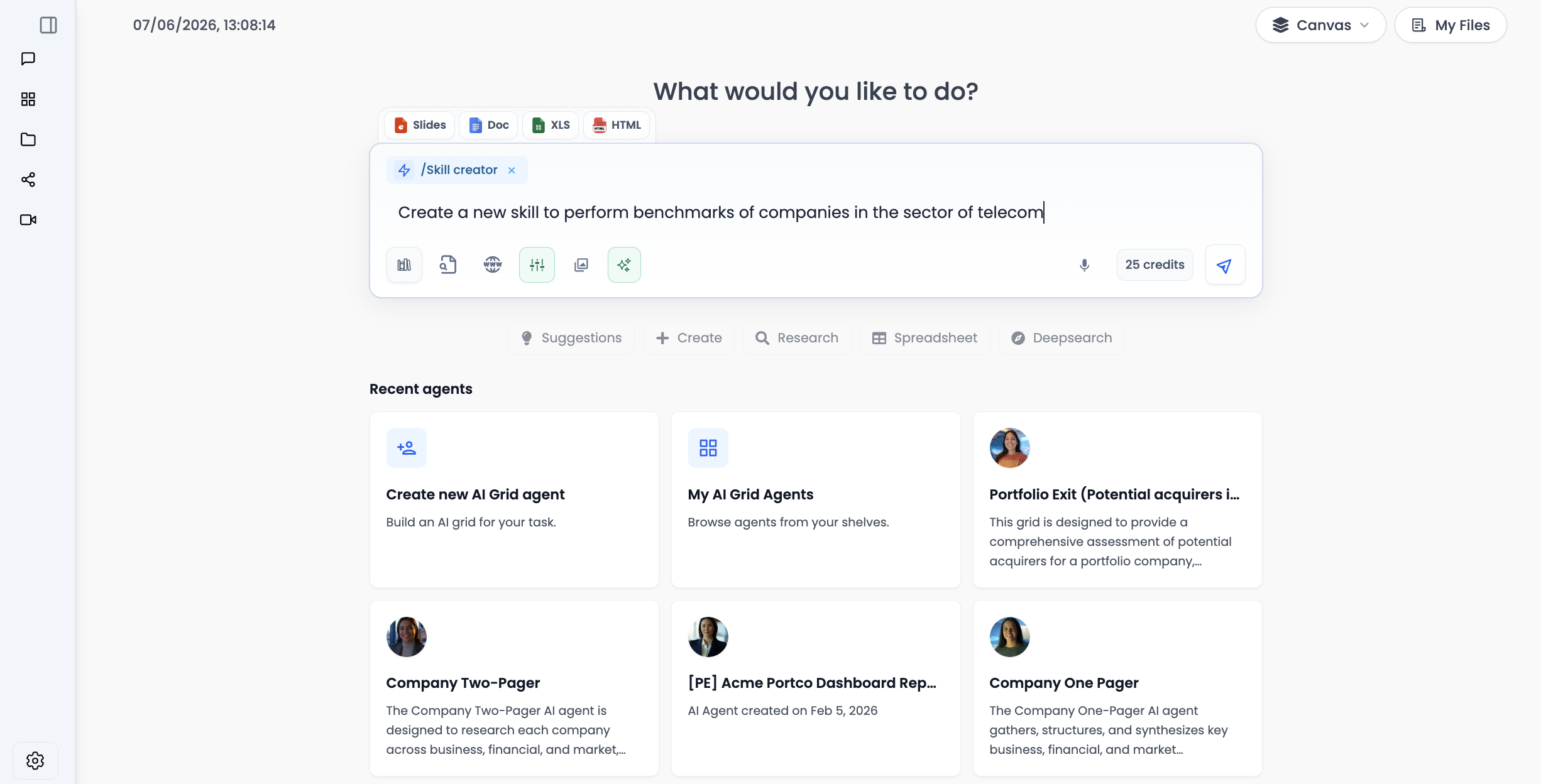
Example Request
Create a skill that helps me review SaaS companies.
It should summarize the business, identify growth drivers, flag risks,
and return a concise investment-style memo.
It can use web search and document analysis when relevant.
After the draft is created, Lampi opens the editor so you can review the skill before publishing it.
Create a Skill from Settings
You can also create skills manually from Settings > Skills.
Use this path when you already know the instructions you want, or when you have an existing skill file to import.
Write Skill Instructions
- Go to Settings.
- Open the Skills tab.
- Click Create skill.
- Choose Write skill instructions.
- Enter a skill name and description.
- Select the tools the skill should be allowed to use.
- Write the instructions Lampi should follow.
- Save the draft.
- Publish it when it is ready.
Upload a Skill
- Go to Settings.
- Open the Skills tab.
- Click Create skill.
- Choose Upload a skill.
- Upload a
.zipbundle or aSKILL.mdfile. - Review the imported files.
- Save the draft.
- Publish it when it is ready.
Uploaded skills must include a root SKILL.md file. This file contains the skill name, description, and instructions.
What to Put in a Skill
A good skill should be clear, focused, and easy for Lampi to apply.
Include:
- A clear name
- A short description of when the skill should be used
- Step-by-step guidance for the task
- The expected output format
- Examples of good requests or good answers
- Only the tools the skill actually needs
Avoid:
- Very broad skills that try to do everything
- Long background information that is not needed for the task
- Conflicting instructions
- Tool access that the skill does not need
Keep one skill focused on one job. If you need several different workflows, create several smaller skills instead of one large skill.
Using a Published Skill
After a custom skill is published, it can be selected from the skills list.
You can use skills in:
- Chat - select the skill before sending your message
- AI Chat Agents - add skills to a Chat Agent so it can use them by default
- AI Grid Agents - select skills for AI columns that need that workflow
Draft skills are saved, but they are not available for normal use until they are published.
Best Practices
- Give the skill a name users will recognize.
- Make the description specific enough for Lampi to know when to use it.
- Add examples if the output format matters.
- Start with a simple version, test it, then improve it.
- Publish only when you are comfortable with how the skill behaves.
Next: AI Grid Agents →